
Telus Fund Application Deadlines
The Telus Fund Production program deadline is fast approaching for February 22, 2016.
Television producers and broadcasters love working with Tactica – contact us to plan your next interactive digital media component or Telus Fund application.
Tactica’s distracted driving simulator wins best experiential advertising at 2015 Signature Awards
Manitoba Public Insurance (MPI) took home a 2015 Signature Award from the Advertising Association of Manitoba for their Your Last Words Anti-Distracted Driving campaign.
Tactica played in a key role in the campaign by conceptualizing and building an innovative distracted driving simulator allowing users to experience the dangers of texting and driving firsthand in a safe environment. The simulator provides an immersive two screen experience that connects a desktop 3D …
Calm in the Storm wins best website at the 2015 Signature Awards
Tactica Interactive was honoured to receive the best website award at the Winnipeg Advertising Association’s 2015 Signature Awards for our Calm in the Storm web app developed in collaboration with Klinic Community Health Centre, Canadian Association of Suicide Prevention (CASP), and Winnipeg Suicide Prevention Network.
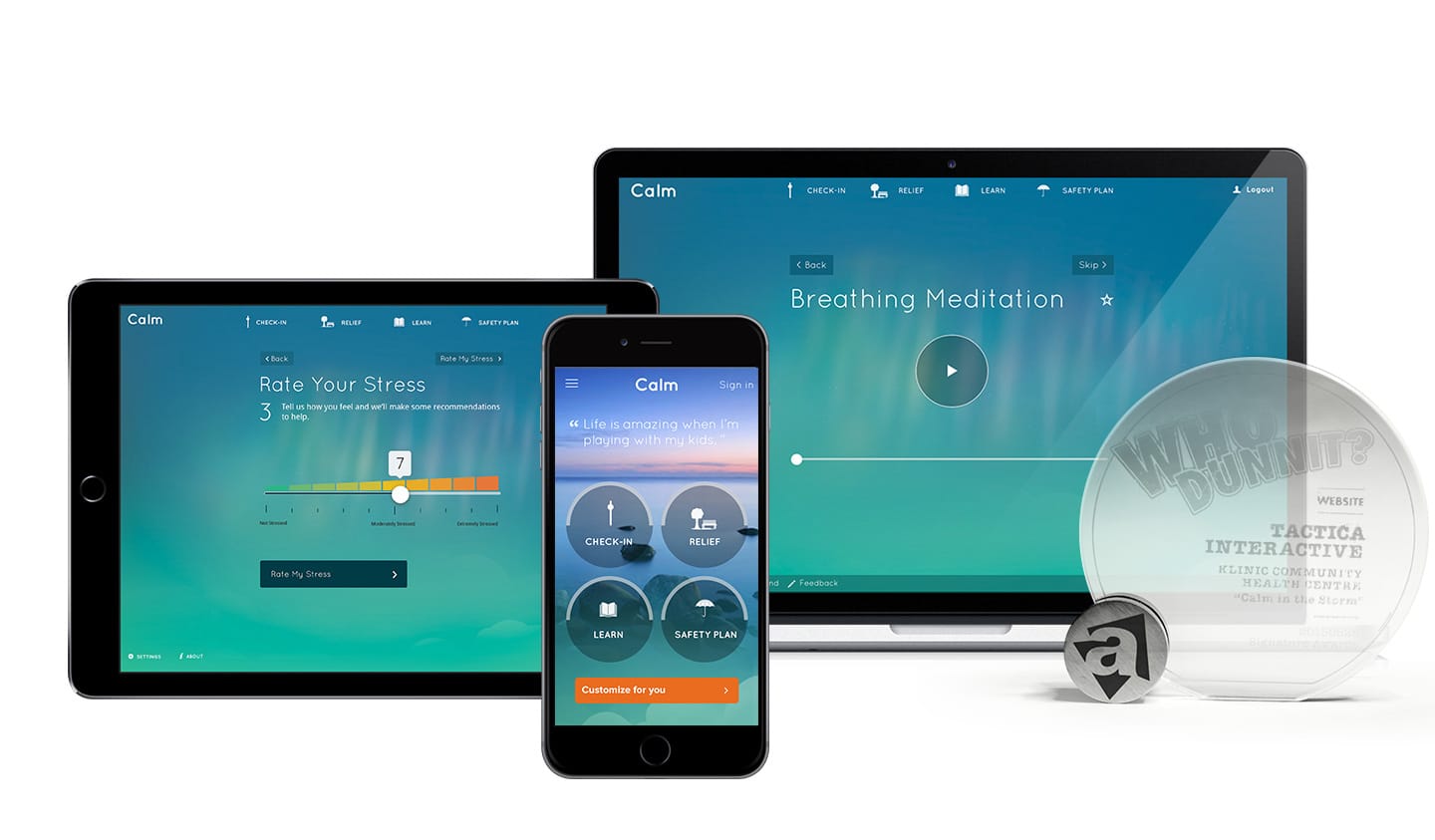
Calm in the Storm helps people assess, manage, and understand their stress. Most importantly, the app is there for users in times of …
Google warns websites need to be mobile-friendly by April 21, 2015
Google has sent out a mass communication to website owners with a clear message – fix mobile usability issues or you won’t show up in search results on mobile devices. In the past, Google has strongly suggested that sites be optimized for mobile as a best practice for mobile search visibility, however, the recent communication from Google is strongly worded and decisive in the consequences:
“The errors on these … pages …
Bell Fund Application Deadlines
The following Bell Fund Application deadlines are fast approaching for February 1, 2016:
- Production
- Legacy Production
- Low Budget Production
- Performance Accelerator
- TV Development Online
- Development
- Legacy Development
- Professional Development
Television producers and broadcasters love working with Tactica – contact us to plan your next interactive digital media component or Bell Fund Application.
Stress management app Calm in the Storm launches
Tactica Interactive and partners Klinic Community Health Centre, the Canadian Association for Suicide Prevention (CASP/ACPS,) and the Winnipeg Suicide Prevention Network (WSPN) are launching a new mobile and web app designed to help its users manage stress.
Calm in the Storm is a digital stress management tool that helps users understand, assess, and manage their stress. The app also shows people how to create a safety …
Team Tactica stays up alllll night & raises $1000 for Children’s Hospital Foundation.
Snacks. Couch. Games. Snacks.
Four Tacticans stayed up gaming for 24 hours as part of Extra Life, the global game-a-thon in support of local Children’s Miracle Network hospitals.
In Winnipeg, that’s the Children’s Hospital Foundation, who were so grateful to receive the support, they sent Dr. Goodbear to cheer us on. Which really helped.
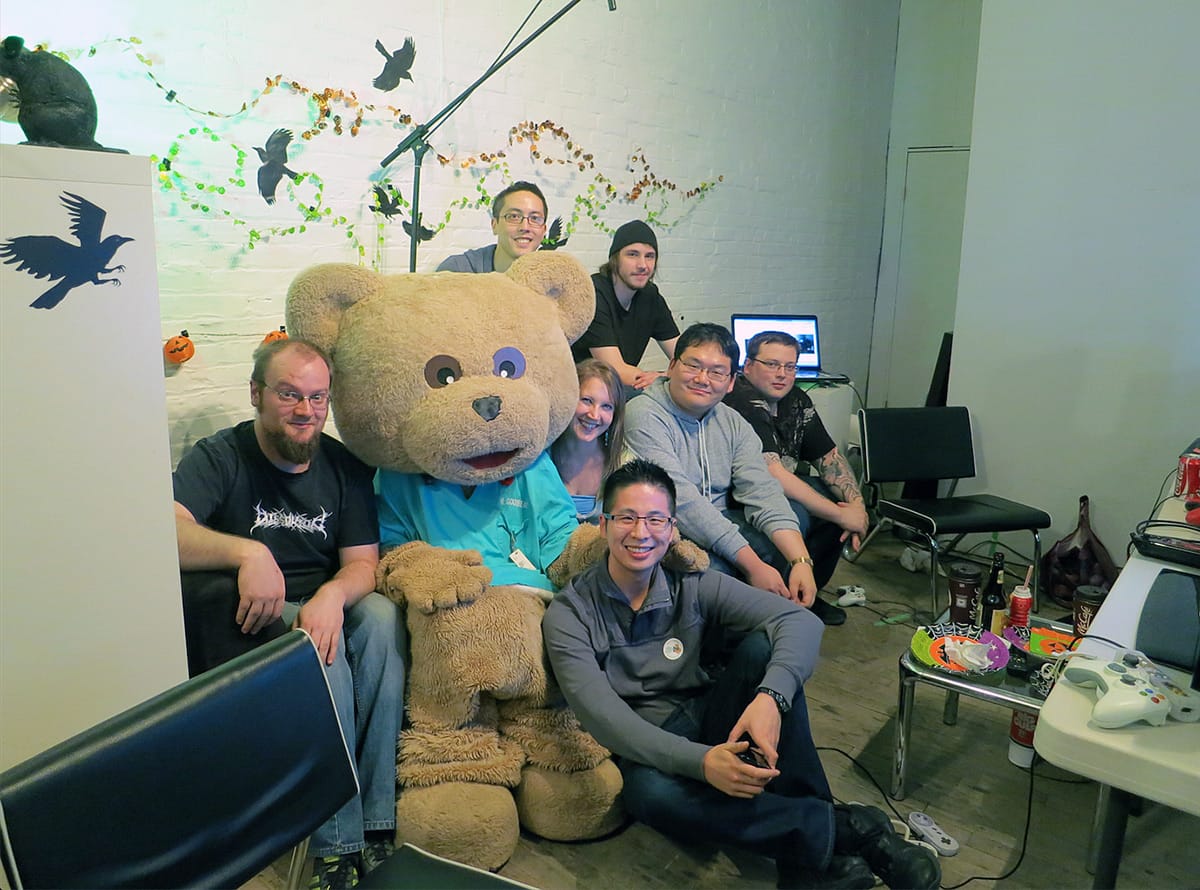
Extra Life has raised more than $5.5 million, and Tactica was happy …
The Extra Life Gaming Marathon — 24h of Fun on October 25
On October 25th we’ll be staying up ALL DAY AND NIGHT playing video games to raise money for the Children’s Hospital Foundation here in Winnipeg. Please donate now — every tax-deductible dollar will go to help sick kids facing scary stuff like cancer, cystic fibrosis, and injuries.
Peg Indicators website wins 2014 Impact Summit Award.
How do you make statistics meaningful? How do you communicate numbers and trends in a way that matters?
Rapid move to mobile challenges newsrooms
Mobile? Wearables? What’s a newsroom to do?
As audiences shift to mobile, that’s the question posed in a recent Mediashift article about challenges faced by traditional newsroom organizations.
Author Julie Posetti notes that in May “a significant threshold was crossed: In the U.S., 60 percent of global online activity now happens via mobile devices – up 10 percent from the previous year. Perhaps even more significantly, “mobile apps accounted for more than half of …